Article 33512 at 12/09/01 21:11:17 From: Minoru Yanagisawa Subject: [KoedoLUG:33512] ChromeにはFlashプラグイン同梱でしょうか? 🏛️
Chrome では Flash 動画の日本語字幕が文字化けするので、いろいろと対処法
を探していて PPAPI の Flash プラグインがインストールされているのに気づい
た次第です。
(TED の日本語訳とか読めません。読めないほうが勉強になるんですけどw)
ということで,確認してみました.
先ず以下のページからChrome の最新版を入手して導入.
初期状態でTED を再生してみると豆腐になっています.
恐らく欧文フォントが使われている感じです.
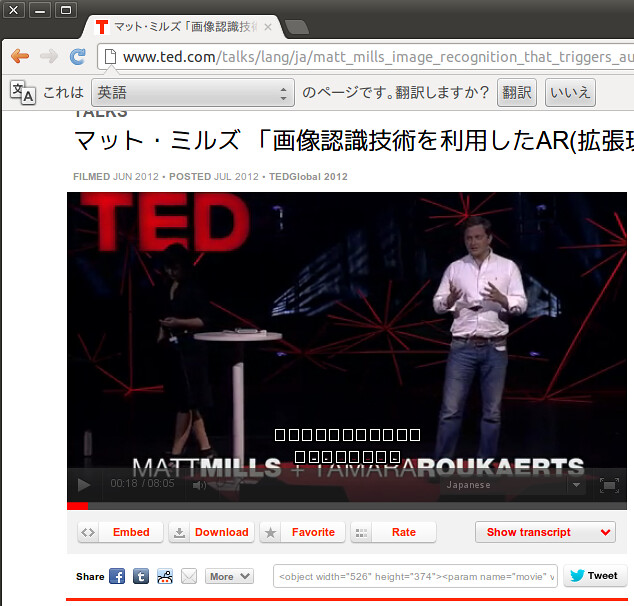
「chrome flash フォント 豆腐」って感じで検索して,以下のページを参考に
以下の設定をしてみました.(このファイルは存在していましたが中は空でした.)
$ cat ~/.config/google-chrome/Default/User\ StyleSheets/Custom.css
* {
font-family : "VL Pゴシック", sans-serif !important;
}
設定後Chrome を起動し直すと以下のようにちゃんと表示されるようになりました♪
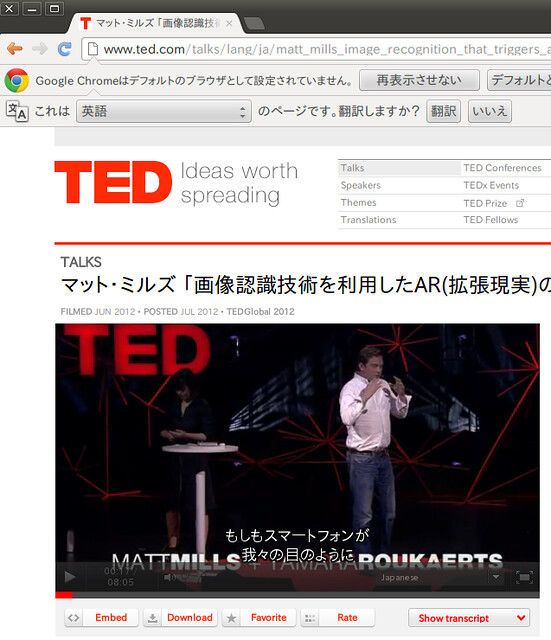
環境
Ubuntu12.04 amd64
Google Chrome 21.0.1180.89 (Official Build 154005)
OS Linux
WebKit 537.1 (@126646)
JavaScript V8 3.11.10.20
Flash 11.3.31.232
ユーザー エージェント Mozilla/5.0 (X11; Linux x86_64) AppleWebKit/537.1 (KHTML, like Gecko) Chrome/21.0.1180.89 Safari/537.1
コマンドライン /opt/google/chrome/google-chrome --flag-switches-begin --flag-switches-end
実行可能なパス /opt/google/chrome/google-chrome
プロフィール パス /home/mk/.config/google-chrome/Default