ReText のアイコンが見えなくなっていたのを修正

ReText がなんか寂しい.よく見るとツールバーのアイコンが無いです.見えないけどボタンは動作します.
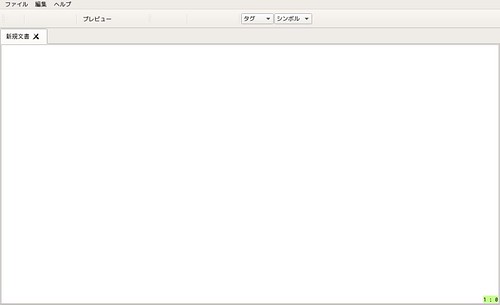
20150828_08:08:11-8636 🏛️

検索してみると以下のようなエントリを発見.

真似をして以下のようにして修正しました.

icon-theme を調べる

gconftool-2 –get /desktop/gnome/interface/icon_theme か gsettings get org.gnome.desktop.interface icon-theme で icon_theme を調べる.上のエントリでは前者で表示されていましたが,手元の環境では後者でしか表示されませんでした.

% gconftool-2 –get /desktop/gnome/interface/icon_theme
% gsettings get org.gnome.desktop.interface icon-theme
'gnome'

ReText の設定修正

~/.config/ReText\ project/ReText.conf の [General] セクションに iconTheme=上で調べたテーマ名 を指定します.今回は iconTheme=gnome

% cat ~/.config/ReText\ project/ReText.conf
[General]
autoSave=true
highlightCurrentLine=true
useWebKit=true
iconTheme=gnome

この状態で ReText を起動するとアイコンが表示されるようになりました :)
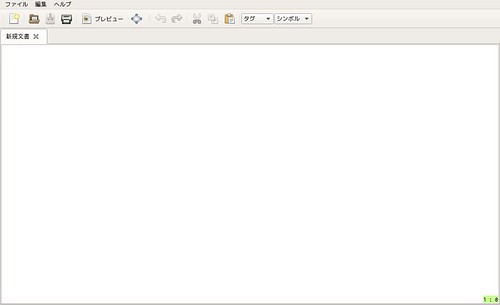
20150828_08:08:39-8956 🏛️

コメントを残す

メールアドレスが公開されることはありません。 ※ が付いている欄は必須項目です

Your post must include a link to this post.

How does this work?
Write a response on your own website and include a link to this post. Then submit your response’s URL here. Your response may appear here after moderation. To update or remove it, edit or delete your original post and submit the same URL again. Learn more about Webmentions.