Ubuntu 16.10b2 amd64を最近試しています。 いつも使う感じのアプルケーションをdpkg –set-selectionsで導入したあとUbuntu Softwareを眺めていて良さそうなアプリケーションを導入して試したりしています。
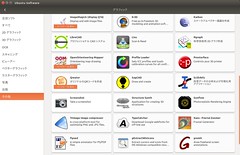
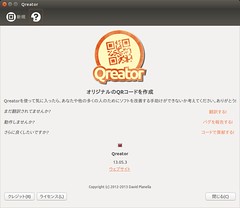
そこでQreatorというアプリを見つけました。これは簡単にGUIでQR codeが生成できるアプリケーションです。名刺、位置情報、電話(SMS)、テキスト、URL、Wi-FiのQR codeが生成できるようです。 自分用に似たようなもののweb cgiも作ってあるのですが、便利そうってことで試してみました。
$ apt show qreator
Package: qreator
Version: 13.05.3-2fakesync1
Priority: optional
Section: universe/python
Origin: Ubuntu
Maintainer: Ubuntu Developers <ubuntu-devel-discuss@lists.ubuntu.com>
Original-Maintainer: Chow Loong Jin <hyperair@debian.org>
Bugs: https://bugs.launchpad.net/ubuntu/+filebug
Installed-Size: 1,303 kB
Depends: python:any (>= 2.6.6-7~), dconf-gsettings-backend | gsettings-backend, python-imaging, python-cairo, python-dbus, python-defer, python-gi, gir1.2-champlain-0.12, gir1.2-clutter-1.0, gir1.2-glib-2.0, gir1.2-gdkpixbuf-2.0, gir1.2-gtk-3.0, gir1.2-gtkchamplain-0.12, gir1.2-gtkclutter-1.0, gir1.2-nmgtk-1.0, gir1.2-networkmanager-1.0, python-qrencode, python-requests, python-vobject, python-xdg
Homepage: https://launchpad.net/qreator
Download-Size: 196 kB
APT-Manual-Installed: yes
APT-Sources: http://jp.archive.ubuntu.com/ubuntu yakkety/universe amd64 Packages
Description: graphical utility for creating QR codes
 Qreator enables you to easily create your own QR codes to encode different
 types of information in an efficient, compact and cool way.
 .
 Qreator supports creating the following kinds of QR codes:
  - Business card
  - Geolocation
  - Phone call/SMS
  - Text
  - URL
  - Wi-Fi network
#Debianだとsidにならあるみたい。 * Debian — パッケージ検索結果 — qreator 🏛️
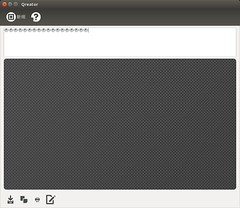
しかし、起動して情報を入力してもQR codeが表示されません。 バグレポに上がってないかなと探したらありました。
- Bug #1573577 “QR code image does not generate after upgrade to U…” : Bugs : Qreator 🏛️
- Comment #1 : Bug #1573577 : Bugs : Qreator 🏛️
- Bug #1587249 “PIL exception fromstring” : Bugs : python-qrencode package : Ubuntu https://bugs.launchpad.net/ubuntu/+source/python-qrencode/+bug/1587249
python-qrencodeの問題のようです。該当行2行を書き換えてみたところ動くようになりました。
$ diff /tmp/QRCode.py /usr/share/qreator/qreator/QRCode.py
76c76
<         bytearr = array.array('B', self.image.tostring("raw", "BGRA", 0, 1))
-
>         bytearr = array.array('B', self.image.tobytes("raw", "BGRA", 0, 1))
$ diff /tmp/__init__.py /usr/lib/python2.7/dist-packages/qrencode/__init__.py
47c47
<     im = Image.fromstring('L', (size, size), data)
-
>     im = Image.frombytes('L', (size, size), data)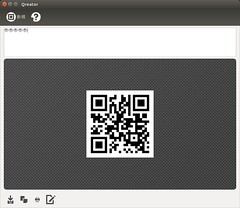
とりあえず修正が降りてくるまではPPAを使うと良さそうです。(versionも古いし……)