2018-08-18 の鹿児島Linux勉強会 2018.08 で発表したものに加筆修正したもの.
アドブロッカー?
広告をブロック
ブラウザの拡張機能などで実現するのが一般的(重い&ブラウザ毎に設定が必要)
プライベートブラウジングモードでは(基本的に)利用できない
スマートフォンは?
rootなどが必要(ウェブブラウジングは拡張機能や広告ブロック機能のあるウェブブラウザなどで回避可能)
Pi-hole

DNSキャッシュサーバとして動作して広告をDNSベースでブロック
PC側では設定不要 or DNS設定のみ
軽い
Webベースの管理画面が利用可能
DNS以外にDHCPサーバ機能も利用可能
動作要件
名前にPiとついているし事例が多いがRaspberry Pi以外でも動作する
Hardware
Pi-hole is very lightweight as it only handles DNS queries and returns a blank HTML file so it doesn’t need much processing power.

~52MB of free space
512 MB RAM
Software
Pi-hole will run on most Debian-based distro’s and is the preferred platform for it.

We officially support the following:

Raspbian: Jessie/Stretch
Ubuntu: 16.04 / 16.10
Debian: 8 / 9
Fedora 26
CentOS: 7 (not ARM)
導入例
お手軽なインストールscriptが用意されている
公式ページでは,
curl -sSL https://install.pi-hole.net | bashとはいえ怖いので,こんな感じで入れた
$ wget -O basic-install.sh https://install.pi-hole.net
$ lv basic-install.sh
$ sudo porg -lp pi-hole bash ./basic-install.sh
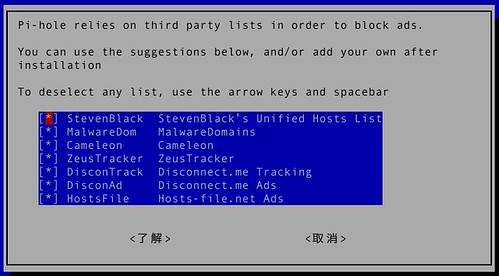
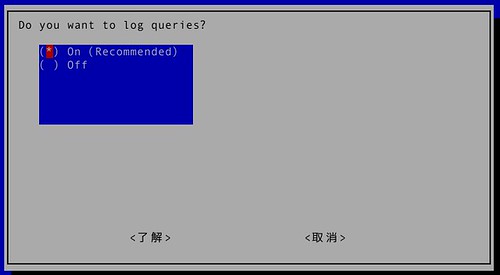
インストーラはTUIでいくつかの選択肢が表示される
設定はこのあたりに
/etc/pihole/setupVars.confアンストーラーもついているが,パッケージ周りとか面倒(導入済みだったかどうか関係なく関連パッケージを1つづつ確認しないといけない)なのでchroot環境などで試したほうが良い
logo
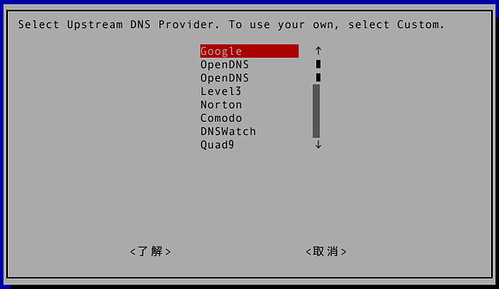
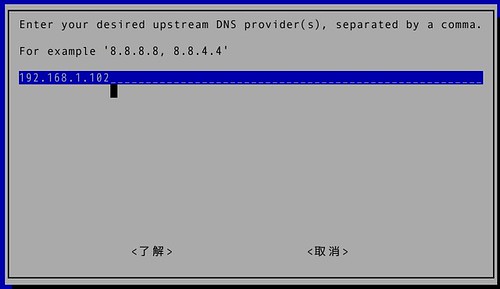
ad listの選択
Protocolの選択
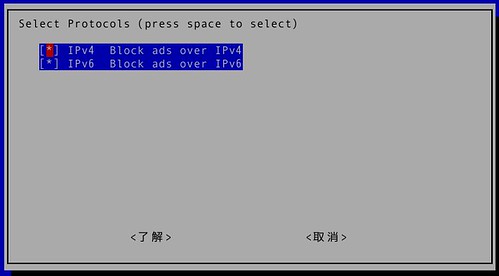
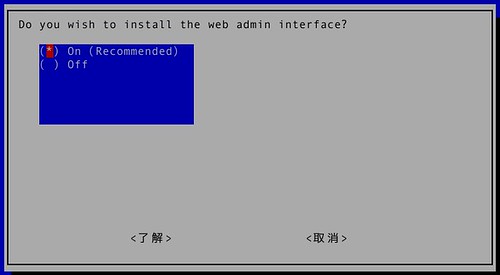
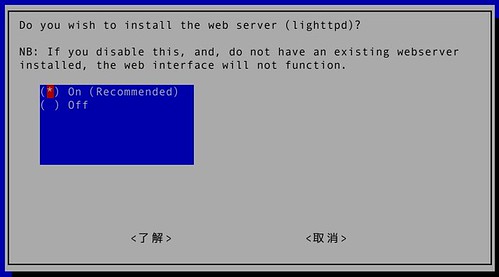
ログ
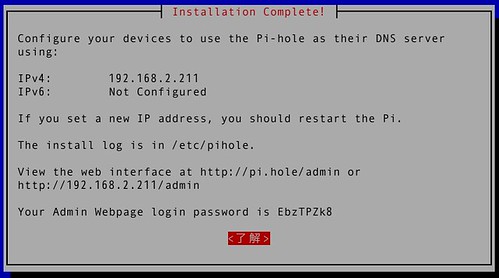
インストール完了
この画面はメモしておきましょう
もしパスワードを忘れたら
$ pihole -a -p
Enter New Password (Blank for no password):
Confirm Password:
  [✓] New password set
端末のDNSをPi-holeに向けて試す(adhoc)
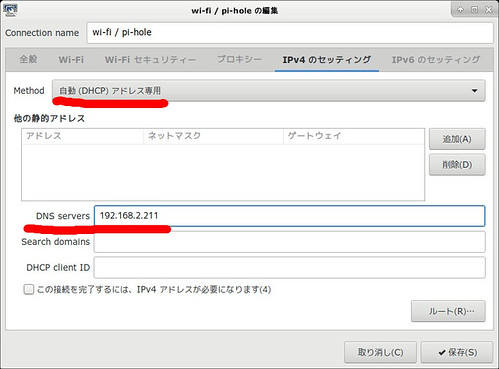
ネットワーク全体に反映
DHCPサーバからリリースされるDNS情報をPi-holeのものに差し替える
or
DHCPサーバをPi-holeに切り替える
Pi-holeのDHCPDは管理画面のSettings → DHCPから有効にできる
から有効にできる
VPN の nameserver に指定
自分は外では VPN を使うが,そのときこの nameserver を指定すると携帯回線でもパケットの消費が抑えられる効果もある
DNSが切り替わったか確認
$ dig example.com|grep -i server
;; SERVER: 192.168.2.211#53(192.168.2.211)
管理画面
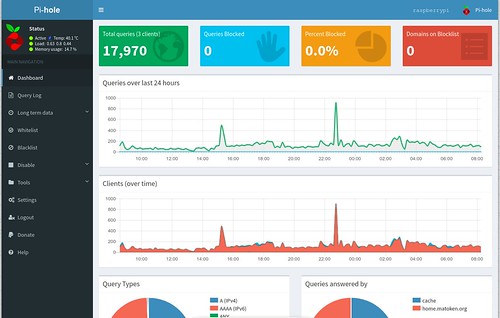
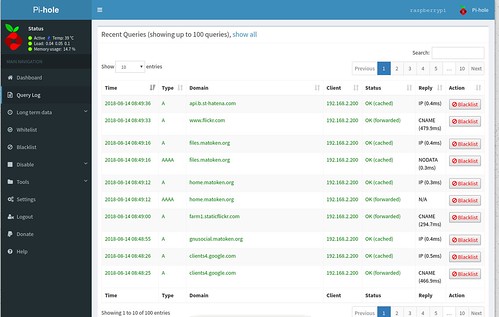
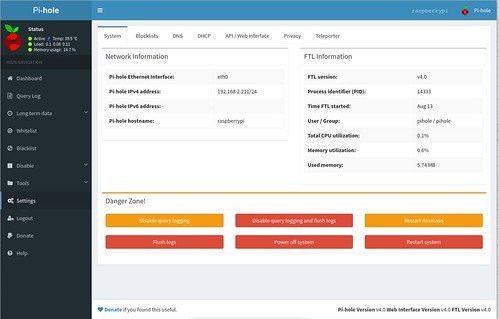
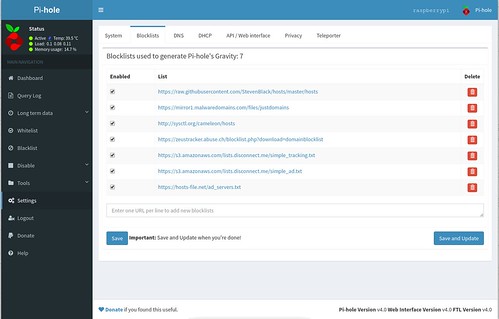
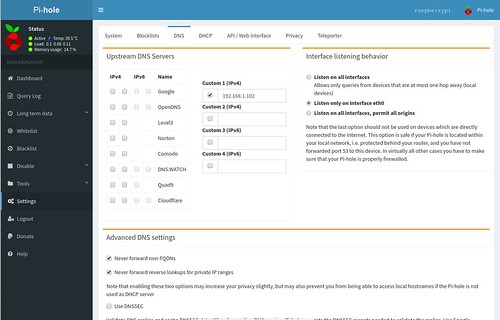
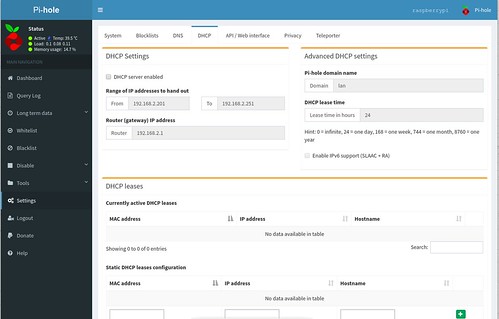
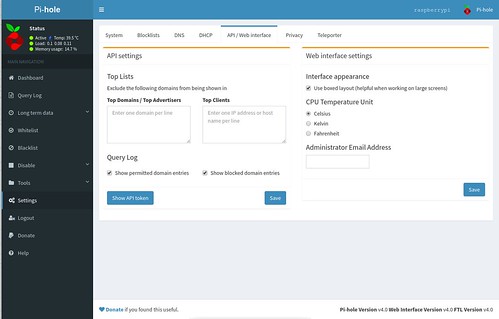
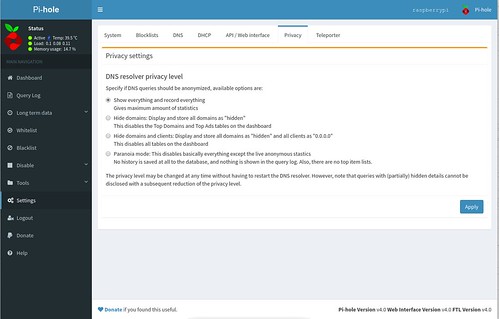
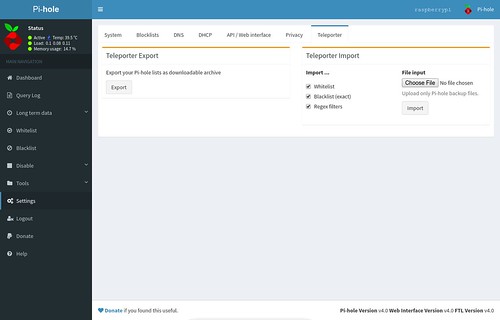
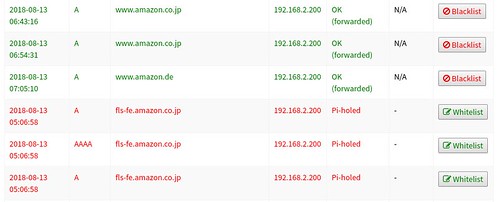
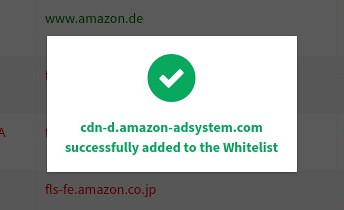
WebIFはoption
pihole commandが存在する
$ pihole --help
Usage: pihole [options]
Example: 'pihole -w -h'
Add '-h' after specific commands for more information on usage

Whitelist/Blacklist Options:
  -w, whitelist       Whitelist domain(s)
  -b, blacklist       Blacklist domain(s)
  --wild, wildcard     Wildcard blacklist domain(s)
  --regex, regex       Regex blacklist domains(s)
                        Add '-h' for more info on whitelist/blacklist usage

Debugging Options:
  -d, debug           Start a debugging session
                        Add '-a' to enable automated debugging
  -f, flush           Flush the Pi-hole log
  -r, reconfigure     Reconfigure or Repair Pi-hole subsystems
  -t, tail            View the live output of the Pi-hole log

Options:
  -a, admin           Web interface options
                        Add '-h' for more info on Web Interface usage
  -c, chronometer     Calculates stats and displays to an LCD
                        Add '-h' for more info on chronometer usage
  -g, updateGravity   Update the list of ad-serving domains
  -h, --help, help    Show this help dialog
  -l, logging         Specify whether the Pi-hole log should be used
                        Add '-h' for more info on logging usage
  -q, query           Query the adlists for a specified domain
                        Add '-h' for more info on query usage
  -up, updatePihole   Update Pi-hole subsystems
                        Add '--check-only' to exit script before update is performed.
  -v, version         Show installed versions of Pi-hole, Web Interface & FTL
                        Add '-h' for more info on version usage
  uninstall           Uninstall Pi-hole from your system
  status              Display the running status of Pi-hole subsystems
  enable              Enable Pi-hole subsystems
  disable             Disable Pi-hole subsystems
                        Add '-h' for more info on disable usage
  restartdns          Restart Pi-hole subsystems
  checkout            Switch Pi-hole subsystems to a different Github branch
                        Add '-h' for more info on checkout usage
Pi-hole アップデートの確認とアップデート
$ pihole -up --check-onlyChecking for updates...Pi-hole Core: up to dateWeb Interface: up to dateFTL: up to dateEverything is up to date!
$ pihole -up
$ pihole updateGravity
  [i] Neutrino emissions detected...
  [✓] Pulling blocklist source list into range

  [i] Target: raw.githubusercontent.com (hosts)
  [✓] Status: Retrieval successful

  [i] Target: mirror1.malwaredomains.com (justdomains)
  [✓] Status: No changes detected

  [i] Target: sysctl.org (hosts)
  [✓] Status: No changes detected

  [i] Target: zeustracker.abuse.ch (blocklist.php?download=domainblocklist)
  [✓] Status: No changes detected

  [i] Target: s3.amazonaws.com (simple_tracking.txt)
  [✓] Status: No changes detected

  [i] Target: s3.amazonaws.com (simple_ad.txt)
  [✓] Status: No changes detected

  [i] Target: hosts-file.net (ad_servers.txt)
  [✓] Status: No changes detected

  [✓] Consolidating blocklists
  [✓] Extracting domains from blocklists
  [i] Number of domains being pulled in by gravity: 157918
  [✓] Removing duplicate domains
  [i] Number of unique domains trapped in the Event Horizon: 134681
  [i] Number of whitelisted domains: 0
  [i] Number of blacklisted domains: 0
  [i] Number of regex filters: 0
  [✓] Parsing domains into hosts format
  [✓] Cleaning up stray matter

  [✓] Force-reloading DNS service
  [✓] DNS service is running
[✓] Pi-hole blocking is Enabled# Pi-hole広告ドメインリスト更新
7 3 * * * pihole updateGravity | tee >$(telegram-msg-cron)
# Pi-hole アップデートチェック
11 3 * * * if [ $(pihole -up --check-only|tail -1|grep -c 'Everything is up to date!') ]; then echo ''; else echo "${HOSTNAME} : please Pi-hole update!" | tee >$(telegram-msg-cron) ; fi日本向け広告リストを追加してみる
$ echo 'https://280blocker.net/files/280blocker_host.txt' | sudo tee -a /etc/pihole/adlists.list
https://280blocker.net/files/280blocker_host.txt
$ pihole -g
検索すると様々なドメインリストが存在する.用途に合わせて登録すると良さそう.
Pi-hole メリット,デメリット
メリット
軽量で動作要件も低い
DNSベースなのでスマートフォンなどでもOK!(アプリ内の広告ブロックも)
ウェブブラウザの場合でも端末やブラウザ毎に個別に設定する必要がない
設定も簡単で動作も管理画面で確認しやすい
転送量も減る
デメリット
uBlock Originに比べると広告のブロック率が低い?(見ているsiteにも依るかも)
拡張性があるので好みのリストを追加すれば良さそう
今見えている広告をブロックしたいといったときにはブラウザの拡張機能のほうが便利
広告の動きを確認するにはDNSを切り替える必要があり面倒
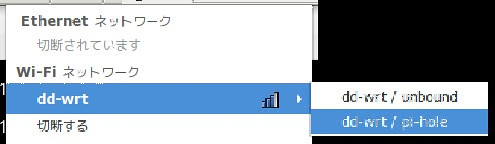
nm-appletだとPi-holeと通常DNSの設定をそれぞれ作っておくとワンタッチで切り替えられて便利
 🏛️
🏛️PC → Pi-hole → Unbound → ISP
PC → Unbound → ISP
Wi-Fi AP を Pi-hole 利用とそうでないものの2つ用意する
家庭や小規模ネットワーク向け?
別解
Pi-holeのad listをそのままor整形して/etc/hostsに突っ込めばとりあえずblockできる
(UnboundやDnsmasqとかに入れても)
https://raw.githubusercontent.com/StevenBlack/hosts/master/hosts
https://mirror1.malwaredomains.com/files/justdomains
http://sysctl.org/cameleon/hosts
https://zeustracker.abuse.ch/blocklist.php?download=domainblocklist
https://s3.amazonaws.com/lists.disconnect.me/simple_tracking.txt
https://s3.amazonaws.com/lists.disconnect.me/simple_ad.txt
https://hosts-file.net/ad_servers.txt$ wget -q -O - https://raw.githubusercontent.com/StevenBlack/hosts/master/hosts | lv
:
0.0.0.0 1493361689.rsc.cdn77.org
0.0.0.0 30-day-change.com
0.0.0.0 2468.go2cloud.org
0.0.0.0 adservice.google.nl
0.0.0.0 adsmws.cloudapp.net
:
$ wget -q -O - https://raw.githubusercontent.com/StevenBlack/hosts/master/hosts|lv
amazon.co.uk.security-check.ga
autosegurancabrasil.com
dadossolicitado-antendimento.sad879.mobi
hitnrun.com.my
maruthorvattomsrianjaneyatemple.org
:別解?
ウェブブラウジング時に広告だけでなくトラッキングなども考慮
このあたりはこまめに設定が必要なので一括管理は難しそう
Pi-hole
導入が簡単
リソース少なめ
管理画面がわかりやすい
家庭や小規模ネットワーク向け?
QA
パッケージの確認と導入周りとネットワーク設定あたりを合わせればいけるのでは?
でもhostsやUnboundなどで設定したほうがきっと楽
ipアドレスを Pi-hole の Block list に登録してみたら登録できた.しかしブロックはできなかった.iptablesなどでブロックする感じ?