Google検索がJavaScript offで動かなくなったと聞いてFirefox+NoScript環境で試してみると確かに駄目.
更に http://www.google.com/httpservice/retry/enablejs 🏛️ にリダイレクトされて検索キーワードが消えてとても不便.
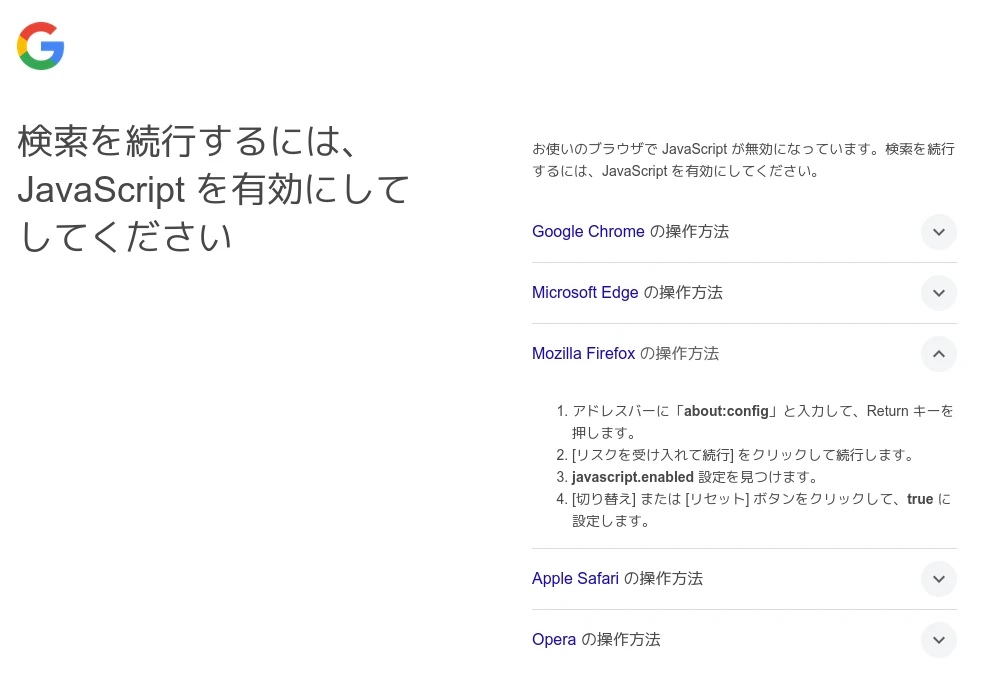
しかしダメ元でテキストブラウザのw3mで試すと動きます.環境により判断されている?といくつかのJavaScript無しのウェブブラウザで試してみるとこんな感じ.
- 動く
w3m (w3m/0.5.3+git20230121)
lynx (Lynx/2.9.2 libwww-FM/2.14 SSL-MM/1.4.1 GNUTLS/3.8.5)
NetSurf (Mozilla/5.0 (X11; Linux) NetSurf/3.11)- 動かない
Firefox+NoScript (Mozilla/5.0 (X11; Linux x86_64; rv:134.0) Gecko/20100101 Firefox/134.0)
Dillo (Dillo/3.1.1)
Note | 括弧内はUSEA-AGENT |
Firefox + NoScript環境でさらにUSER-AGENTを詐称してlynxやw3mにすると動作します.
ということでさしあたりUSER-AGENTを詐称すれば良さそうですが,今回試した中ではDilloがそれを簡単にできません.(恐らくsourceを書き換えが必要)
そして,cliでGoogle検索をするのに便利なGooglerも試してみたところこんな感じで動かなくなっていました.
$ googler neko
No results.
If you believe this is a bug, please review https://git.io/googler-no-results before submitting a bug report.
sourceを見るとUA はSafariになっているようです.( USER_AGENT = 'Mozilla/5.0 (Macintosh; Intel Mac OS X 10_15_1) AppleWebKit/537.36 (KHTML, like Gecko) Chrome/78.0.3904.108 Safari/537.36' )これをw3mやlynxに書き換えてみましたが駄目でした.
debugオプションを使ってquery結果のhtmlを覗くと元のSafariでもw3mなどでも検索結果は取得できています.
$ googler -debug neko
[DEBUG] googler version 4.3.13
[DEBUG] Python version 3.13.1
[DEBUG] Platform: Linux-6.12.9-amd64-x86_64-with-glibc2.40
/usr/bin/googler:3548: DeprecationWarning: distutils Version classes are deprecated. Use packaging.version instead.
  current_version = Version(_VERSION_)
/usr/bin/googler:3549: DeprecationWarning: distutils Version classes are deprecated. Use packaging.version instead.
  latest_version = Version(latest_version_str)
[DEBUG] Connecting to new host www.google.com
[DEBUG] Opened socket to 172.217.25.164:443
[DEBUG] new_connection completed in 0.264s
[DEBUG] Fetching URL /search?ie=UTF-8&oe=UTF-8&q=neko+-site:bug&sei=pp_1MVyOQZyTluhTiFyP6A
[DEBUG] Cookie: AEC=AZ6Zc-WrVVC8RQohzvoaSzeVCDUEfTRTNYlYgZ_iymf0Dsf_sDtMmliRF3c
[DEBUG] fetch_page completed in 0.551s
[DEBUG] Response body written to '/tmp/googler-response-h4zgk7n0.html'.
[DEBUG] parse completed in 0.016s
No results.
[DEBUG] Fetching https://raw.githubusercontent.com/grassdionera/googler/master/info.json for project status...
If you believe this is a bug, please review https://git.io/googler-no-results before submitting a bug report.
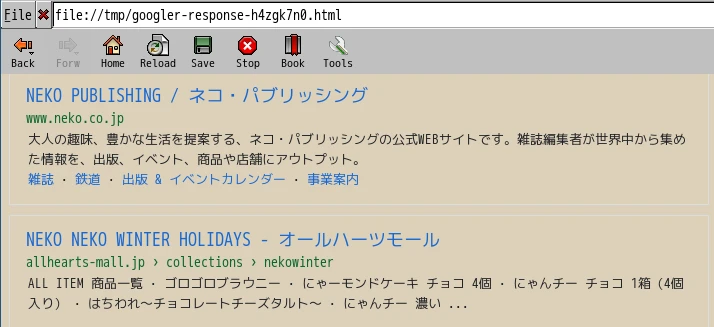
これはこれまでと結果のhtmlが変更になりパースに失敗してGooglerでNo results.になっていそうです.
この検索結果のhtmlを解析してGooglerを書き換える必要がありそうです.でもこれまたいつ変わるかわからないのであまりやりたくないですね…….
とりあえずはw3mなどで検索するのが良さそうです.
もしくはDuckDuckGoなどの別の検索エンジンにを使う.私は以前よりDuckDuckGoをメインに利用しています.
ちなみにDuckDuckGoをJavaScript無しで利用する場合 www.duckduckgo.com で検索するとリダイレクトを挟んでちょっと面倒なので https://html.duckduckgo.com/html?q=クエリー 🏛️ のような感じで使っています.cliの場合Googlerのようなddgrというコマンドもあります.
$ dillo --version
Dillo version 3.1.1
$ dpkg-query -W w3m lynx netsurf-gtk firefox
firefox 134.0.1-1
lynx    2.9.2-1
netsurf-gtk     3.11-2
w3m     0.5.3+git20230121-2.1
$ lsb_release -dr
Description:    Debian GNU/Linux trixie/sid
Release:        n/a
$ arch
x86_64
One thought to “Google検索をJavaScript無しで”