端末で動作する星図盤アプリケーションを見つけました.端末でどのくらい使い物になるだろうかと思いつつ試してみました.
Releasesのバイナリを導入
GitHubのRelseasesからLinux x86_64版を利用しました.
$ wget2 -c -v \ (1)
https://github.com/da-luce/astroterm/releases/download/v1.0.5/astroterm-linux-x86_64 \
https://github.com/da-luce/astroterm/releases/download/v1.0.5/astroterm-linux-x86_64.sha256
$ sha256sum -c ./astroterm-linux-x86_64.sha256 (2)
sha256sum: build/astroterm: No such file or directory
build/astroterm: FAILED open or read
sha256sum: WARNING: 1 listed file could not be read
$ cat ./astroterm-linux-x86_64.sha256 (3)
ae1ce946d9da27f97e26de9ef6df8d068feb971a5aa7a76d4972b2673cddb495  build/astroterm
$ cat ./astroterm-linux-x86_64.sha256 | sed -e 's/build\/astroterm/astroterm-linux-x86_64/' | sha256sum -c (4)
astroterm-linux-x86_64: OK
$ chmod u+x ./astroterm-linux-x86_64 (5)
$ ./astroterm-linux-x86_64 -v (6)
astroterm 1.0.5
実行ファイルと,対応したhashファイルの入手
ハッシュの確認に失敗
ハッシュファイルの中を見るとファイル名が間違っている
ファイル名部分を差し替えてハッシュの確認
実行権の付与
バージョンの確認
Raspberry Pi OS bookworm armhfへのsourceからの導入
$ wget -c https://github.com/da-luce/astroterm/archive/refs/tags/v1.0.6.tar.gz (1)
$ tar tvf v1.0.6.tar.gz
$ tar xvf v1.0.6.tar.gz (2)
$ cd astroterm-1.0.6
$ meson setup build (3)
$ meson compile -C build
$ build/astroterm -v
astroterm 1.0.6
$ install build/astroterm ~/bin/ (4)
sourceの入手
source展開
build※(mesonは1.4.0以上が必要)
好みの場所にinstall
利用例
$ ./astroterm-linux-x86_64 -h
View stars, planets, and more, right in your terminal! ✨🪐

Usage: astroterm [OPTION]...

  -a, --latitude=<degrees>  Observer latitude [-90°, 90°] (default: 0.0)
  -o, --longitude=<degrees> Observer longitude [-180°, 180°] (default: 0.0)
  -d, --datetime=<yyyy-mm-ddThh:mm:ss>
                            Observation datetime in UTC
  -t, --threshold=<float>   Only render stars brighter than this magnitude (def
                            ault: 5.0)
  -l, --label-thresh=<float>
                            Label stars brighter than this magnitude (default:
                            0.25)
  -f, --fps=<int>           Frames per second (default: 24)
  -s, --speed=<float>       Animation speed multiplier (default: 1.0)
  -c, --color               Enable terminal colors
  -C, --constellations      Draw constellation stick figures. Note: a constella
                            tion is only drawn if all stars in the figure are o
                            ver the threshold
  -g, --grid                Draw an azimuthal grid
  -u, --unicode             Use unicode characters
  -q, --quit-on-any         Quit on any keypress (default is to quit on 'q' or
                            'ESC' only)
  -m, --metadata            Display metadata
  -r, --aspect-ratio=<float>
                            Override the calculated terminal cell aspect ratio.
                            Use this if your projection is not 'square.' A valu
                            e around 2.0 works well for most cases
  -h, --help                Print this help message
  -i, --city=<city_name>    Use the latitude and longitude of the provided city
                            . If the name contains multiple words, enclose the
                            name in single or double quotes. For a list of avai
                            lable cities, see: https://github.com/da-luce/astro
                            term/blob/v1.0.5/data/cities.csv
  -v, --version             Display version info and exit
既定値
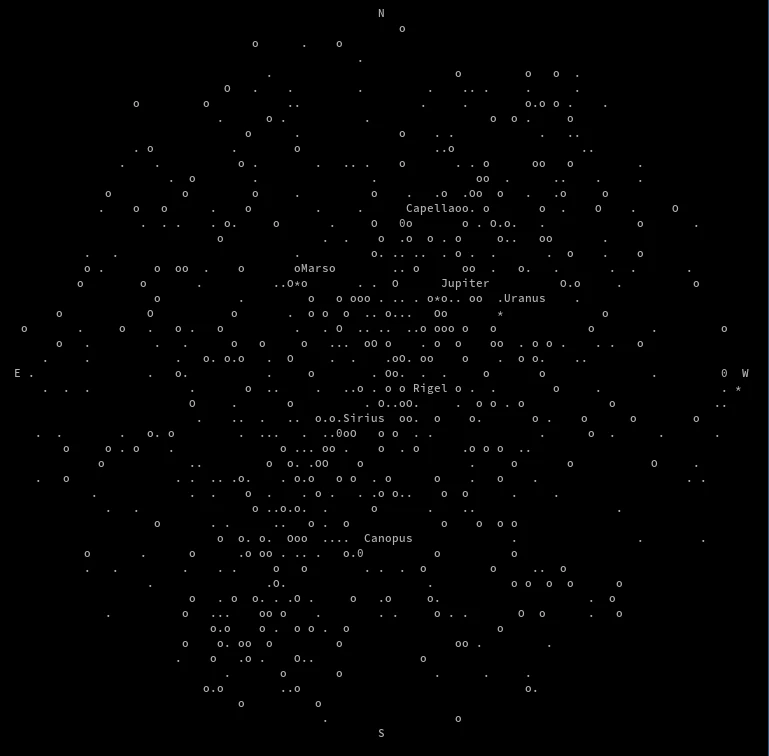
オプション無しの既定値で実行すると現在時刻の経度0,緯度0の所謂Null Island(実際はブイが浮かんでいるだけで存在しない島)での星図が表示されます.リアルタイムに星図は変化していきます.
解像度により情報量は変わります.以下のスクリーンショットは49×107です.
$ stty size
49 107
任意の場所
任意の場所を指定したい場合は緯度経度をオプションで指定,もしくは都市を指定できます.
  -a, --latitude=<degrees>  Observer latitude [-90°, 90°] (default: 0.0)
  -o, --longitude=<degrees> Observer longitude [-180°, 180°] (default: 0.0)
$ ./astroterm-linux-x86_64 -a 31.252232 -o 131.078439
-i, --city=<city_name>    Use the latitude and longitude of the provided city
                            . If the name contains multiple words, enclose the
                            name in single or double quotes. For a list of avai
                            lable cities, see: https://github.com/da-luce/astro
term/blob/v1.0.5/data/cities.csv$ ./astroterm-linux-x86_64 -i kagoshima
都市はsource内の data/cities.csv にあります.2733地点が登録されています.内日本は117地点のようです.
$ wc -l data/cities.csv
2733 data/cities.csv
$ grep ',JP,' data/cities.csv | wc -l
117
csvファイルだけではよくわからないのでuMapを使い地図(OpenStreetMap)にプロットしてみました.利用したい地点の近くにあれば便利です.
メタデータ
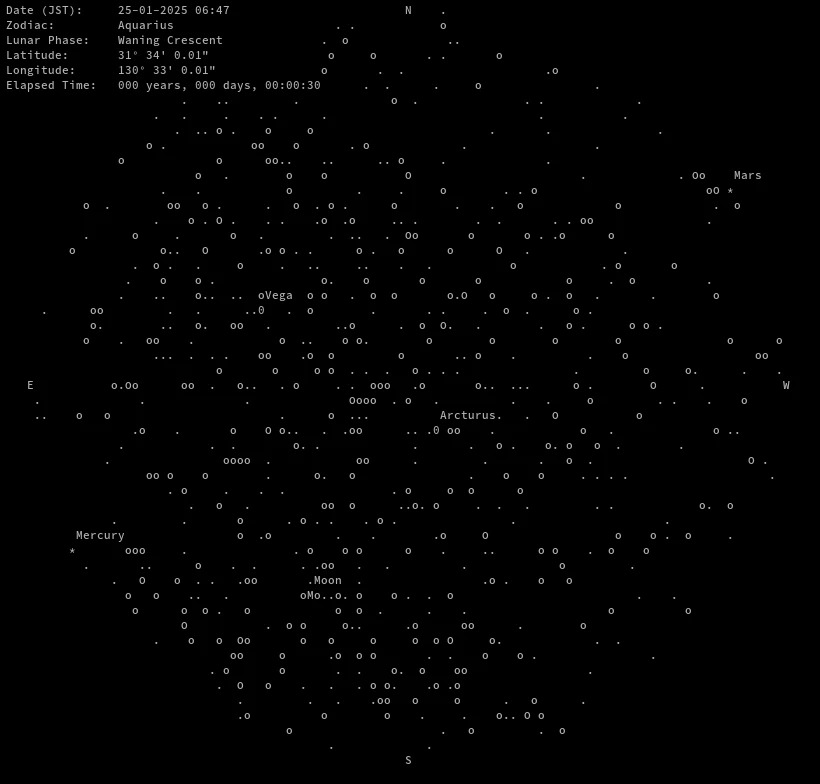
-m, --metadata Display metadata
左上にメタデータが表示されます.
日時の指定
特定の年月日を指定できます.UTCで指定する必要があります.
  -d, --datetime=<yyyy-mm-ddThh:mm:ss>
Observation datetime in UTC$ ./astroterm-linux-x86_64 -a -22.05 -o -4.07 -d 2006-03-29T08:38:00 -s 10 -m -cu
速度
-s, --speed=<float> Animation speed multiplier (default: 1.0)
-s で大きな値を指定することで星図盤のアニメーション速度が速くなります.-も指定できます.
カラー
端末カラーを有効にします.
-c, --color Enable terminal colors
Unicode
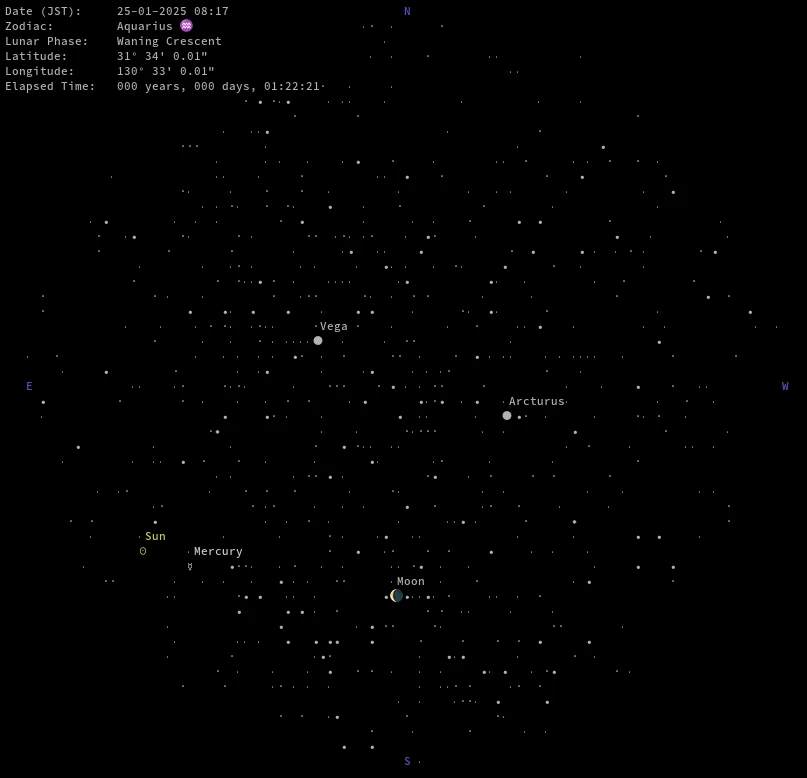
Unicodeを有効にします.点字フォントで星や絵文字で太陽や月,惑星などの表示がされるので解りやすくなります.
-u, --unicode Use unicode characters
$ ./astroterm-linux-x86_64 -i kagoshima -m -s 100 -cu
Note | 端末がUnicodeや絵文字に対応している必要があります. |
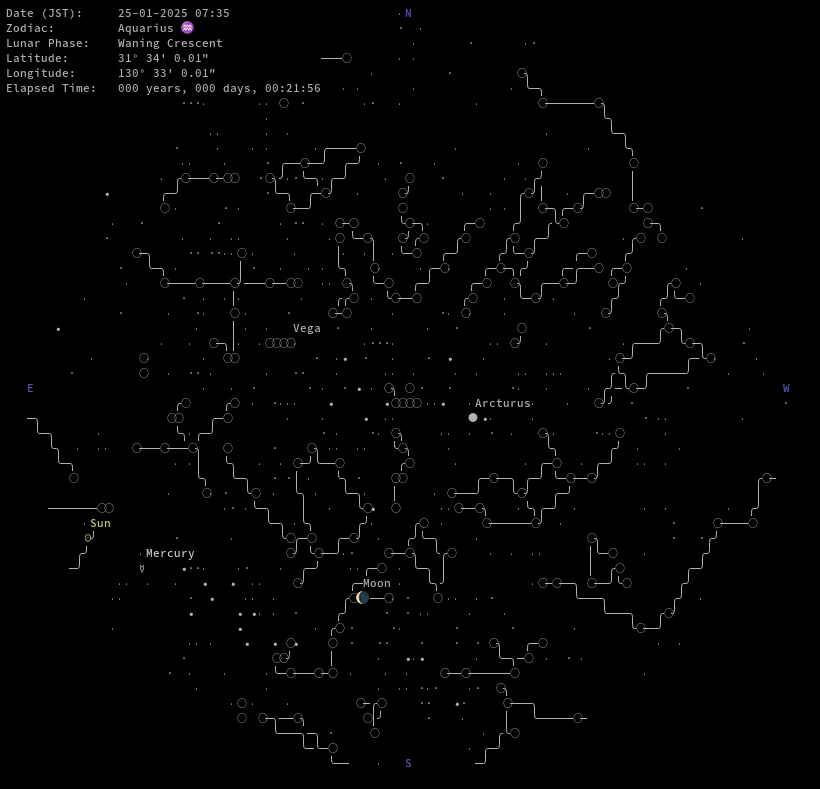
星座
星座を表現します.Unicodeの有無で大分見た目が変わります.
  -C, --constellations      Draw constellation stick figures. Note: a constella
                            tion is only drawn if all stars in the figure are o
                            ver the threshold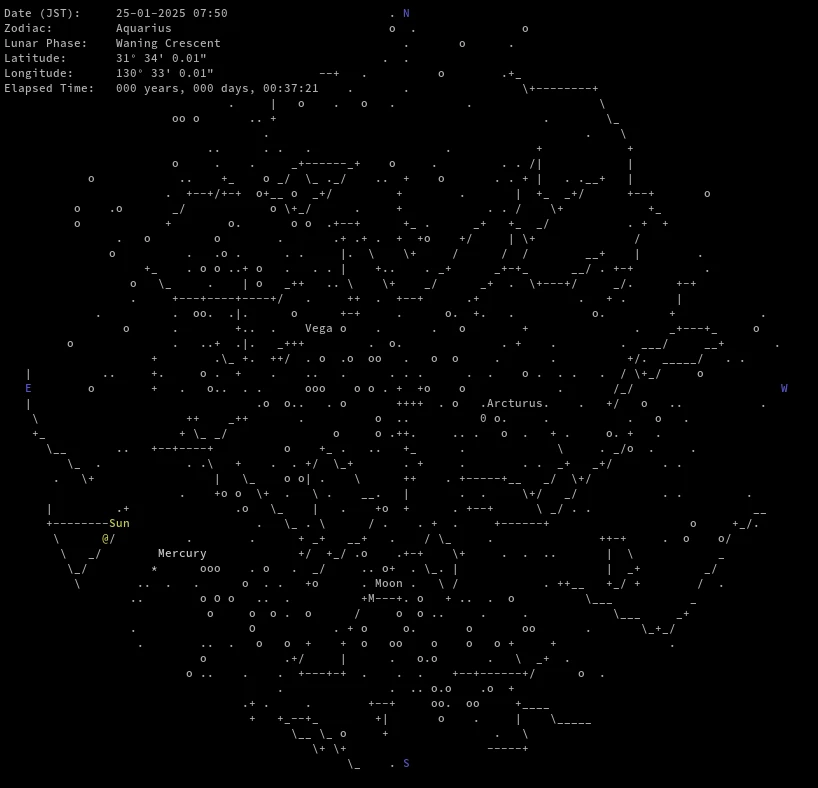
等級
指定した等級よりも明るい星のみを表示します.
  -t, --threshold=<float>   Only render stars brighter than this magnitude (def
                            ault: 5.0)
グリッド
方位角グリッドを表示します.今回試した解像度だと星が大分消えてしまうので邪魔な感じがします.
-g, --grid Draw an azimuthal grid
demo
鹿児島での現在からの星図を10000倍の速度で.
$ ./astroterm-linux-x86_64 -i kagoshima -m -s 10000 -c -u -C -t 4
案外表現が豊かで等級の大きな星のある星座や惑星などの観測には使えそうな感じです.
とはいえGUI環境であればStellariumやKstarsなど色々なものがあり使い勝手もよいのでそちらのほうが実用的だと思います.
Debianであれば以下のblendsが天文向けで興味深いソフトウェアがたくさんあります.
GNUにもGNU Astronomy Utilitiesなんてものがあります.
環境
Debian sid amd64
$ ./astroterm-linux-x86_64 -v
astroterm 1.0.5
$ lsb_release -dr
Description:    Debian GNU/Linux trixie/sid
Release:        n/a
$ arch
x86_64
Raspberry Pi OS bookworm armhf
$ astroterm -v
astroterm 1.0.6
$ dpkg-query -W meson gcc python libargtable2-dev libncurses-dev
gcc     4:12.2.0-3+rpi1
libargtable2-dev        13-1.1
libncurses-dev:armhf    6.4-4
meson   1.6.1-1
python  2.7.16-1
$ lsb_release -dr
No LSB modules are available.
Description:    Raspbian GNU/Linux 12 (bookworm)
Release:        12
$ arch
armv7l
「astrotermで端末上で星図を楽しむ」への2件のフィードバック
Reposts