
さくらのナレッジに軽量ActivityPub Server のsnac についての記事を寄稿しました.
ここに書かなかったsnac のことをいくつか書いていこうと思います.
今日はsnac のtheme 変更.
snac はCSS ファイルを編集することでテーマを設定することが出来ます.
CSS ファイルは2種類あり,インスタンス全体のスタイルを設定する, {basedir}/style.css と,各ユーザー用のプライベートCSSファイルの {basedir}/user/{ユーザー名}/static/style.css です.
Tip | 手元のsnac 2.8.5 で試したところ,各ユーザーのプライベートCSSファイルはログインした状態でないと効かないようです. |
自分で設定しなくても, README.md の Incredibly awesome CSS themes for snac 部分にいくつかのtheme が紹介されているのでこれを使わせてもらったりそれを元にカスタマイズするのでも良さそうです.
$ grep -A5 'Incredibly awesome CSS themes for snac' README.md
## Incredibly awesome CSS themes for snac

- [A compilation of themes for snac (by Во )](https://codeberg.org/voron/snac-style).
- [A cool, elegant theme (by Haijo7)](https://codeberg.org/Haijo7/snac-custom-css).
- [A terminal-like theme (by Tetra)](https://codeberg.org/ERROR404NULLNOTFOUND/snac-terminal-theme).
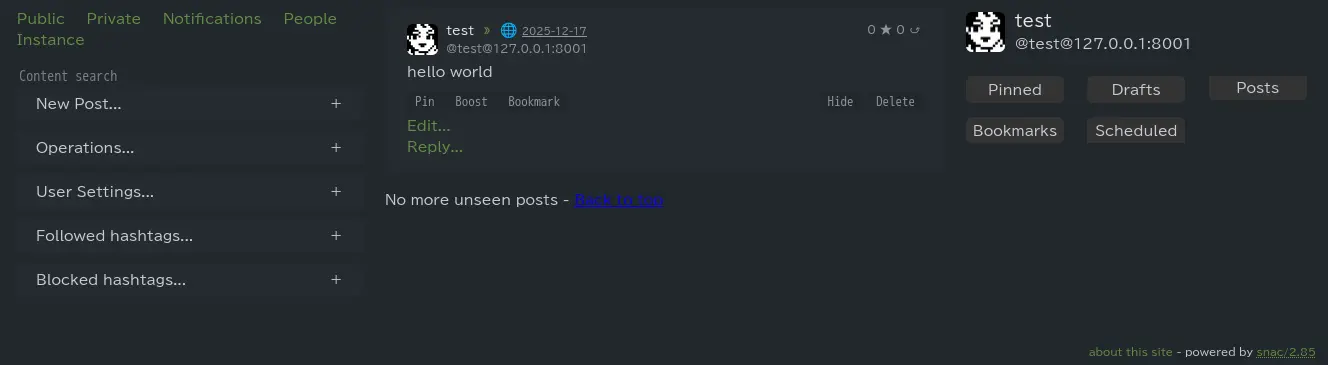
以下は Pika というtheme を設定した例です.3ペインになり,PC等の横長画面での操作性が良さそうです.
Reposts
Likes