
マルチプラットホーム,GPUベースなkitty というターミナルエミュレータがあります.
ターミナルグラフィックのkitty や同じターミナル内での文字サイズ変更など面白い機能もあったりしてGUI 環境でよく使っています.
新規環境でkitty で日本語入力が出来ず設定したのでこちらにもメモしておきます.
今回の環境はDebian trixue amd64 のほぼ初期環境,Wayland ではなくX.org にしてあります.kitty はDebian パッケージマネージャから導入して,日本語入力環境はfcitx + mozc です.
kitty 以外の環境では日本語入力は出来ていますが,kitty ではうまく行きません.
以下のissue を見ると GLFW_IM_MODULE=ibus をせっていすることでibus/fcitx 環境で日本語入力できるようです.
GLFW_IM_MODULE=ibus works for me with fcitx5.
とりあえず別の端末からこんな感じで環境変数を指定してkitty を起動すると日本語入力できます.
$ GLFW_IM_MODULE=ibus kitty
kitty の.desktop ファイルに環境変数を加えてGUI からのkitty 起動時に日本語入力できるようにしておきます.
$ dpkg -L kitty | grep desktop
/usr/share/applications/kitty.desktop
/usr/share/doc/kitty/examples/kitty-open.desktop
$ cp /usr/share/applications/kitty.desktop ~/.local/share/applications/
$ diff -u /usr/share/applications/kitty.desktop ~/.local/share/applications/kitty.desktop
--- /usr/share/applications/kitty.desktop       2025-06-23 03:52:56.000000000 +0900
+++ /home/matoken/.local/share/applications/kitty.desktop       2025-12-23 18:21:14.623247581 +0900
@@ -6,7 +6,7 @@
 Comment=Fast, feature-rich, GPU based terminal
 TryExec=kitty
 StartupNotify=true
-Exec=kitty
+Exec=env GLFW_IM_MODULE=ibus kitty
 Icon=kitty
 Categories=System;TerminalEmulator;
 X-TerminalArgExec=--
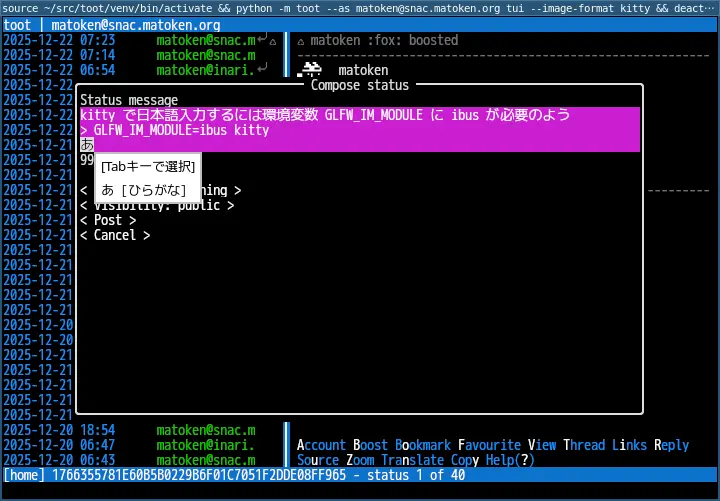
これでGUI からkitty を起動して日本語入力できるようになりました.
環境
$ dpkg-query -W fcitx kitty
fcitx   1:4.2.9.9-2
kitty   0.41.1-2+b1
$ lsb_release -dr
Description:    Debian GNU/Linux 13 (trixie)
Release:        13
$ arch
x86_64