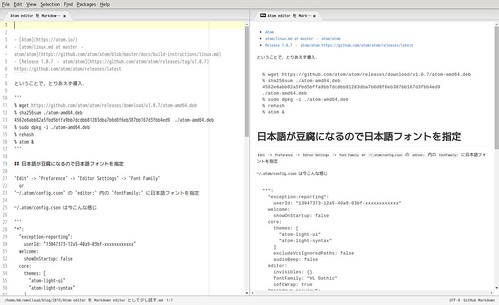
Atom editor を Markdown editor として少し試す

https://www.flickr.com/photos/119142834@N05/20907453316/in/dateposted-public/

GitHub 開発の OSS なテキストエディタ.Node.js や Chromium やらで出来ているということで重そうだなぁと敬遠していたのですが少し試してみました.試した環境は Debian stretch amd64 です.

ということで,とりあえず導入.

% wget https://github.com/atom/atom/releases/download/v1.0.7/atom-amd64.deb
% sha256sum ./atom-amd64.deb
4562e8abb82a5fbd5bffa9bb7dcdbb81283dba7b6d8f6eb387bb167d3fbb4ed9  ./atom-amd64.deb
% sudo dpkg -i ./atom-amd64.deb
% rehash
% atom &

日本語が豆腐になるので日本語フォントを指定

Edit -> Prefarence -> Editor Settings -> Font Family
or
~/.atom/config.csoneditor: 内の fontFamily: に日本語フォントを指定

~/.atom/config.cson は今こんな感じ

"*":
  "exception-reporting":
    userId: "13047373-12a5-40a9-03bf-xxxxxxxxxxxx"
  welcome:
    showOnStartup: false
  core:
    themes: [
      "atom-light-ui"
      "atom-light-syntax"
    ]
    excludeVcsIgnoredPaths: false
    audioBeep: false
  editor:
    invisibles: {}
    fontFamily: "VL Gothic"
    softWrap: true
  "markdown-preview":
    fontFamily: "VL Gothic"
    useGitHubStyle: true

Markdown preview が豆腐になるのを修正

Markdown preview は Ctrl + Shift + m で表示できるのですが,こちらも日本語が豆腐になってしまいます.

を参考に ~/.atom/styles.less を新規作成.

* {
  font-family: VL Gothic;
  font-size:12px;
}
 
.tree-view {
}
 
.editor {
  font-size:14px;
  font-family: VL Gothic;
}
.terminal {
  font-size:12px;
  font-family: VL Gothic;
}
.markdown-preview {
  h1,h2,h3,h4,h5,h6 {
    font-family: VL Gothic;
  }
}

日本語の折り返しがうまく行かないので japanese-wrap 導入

% apm install japanese-wrap

とりあえずこれで行けるかな?この文章は Atom で書いてみました.Markdown preview で右クリック -> Copy As HTML で HTML をクリップボードに書き出して貼り付けてみました.
今のところ気になるところとしてはプレビューが追従しないのがちょっとという感じですかね.
後,書いている途中に一度フリーズしました><

暫く試してみようと思います.

コメントを残す

メールアドレスが公開されることはありません。 が付いている欄は必須項目です

To respond on your own website, enter the URL of your response which should contain a link to this post's permalink URL. Your response will then appear (possibly after moderation) on this page. Want to update or remove your response? Update or delete your post and re-enter your post's URL again. (Find out more about Webmentions.)