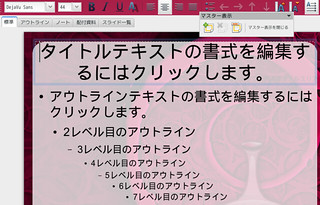
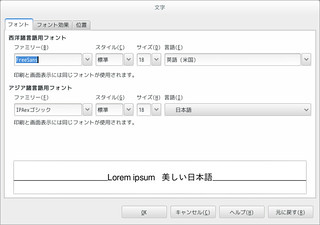
ある時からDebianJessieのあちこちのフォントが中華な感じに.
 🏛️
🏛️ 🏛️
🏛️
確認すると DejaVu というフォントらしい.
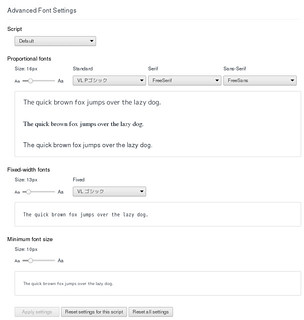
LibO で設定を変えてみても恐らく和文フォントを設定されていないテンプレートを利用した時などに戻ってしまったり.Chromium で設定を変えみても反映されなかったりでした.
 🏛️
🏛️ 🏛️
🏛️
とりあえずこのフォントは使わないなってことで消して対処療法….
% sudo apt purge fonts-dejavu fonts-dejavu-core fonts-dejavu-extra ttf-dejavu ttf-dejavu-core ttf-dejavu-extra

それ。DejaVuではなくDroid Sans Fallbackだと思います。
たぶん同じ状況だと思うので投げてみました。
確認してみてください。
[debian-devel:18808] JessieのGNOME環境のフォントがDroid Sans Fallbackになっている: http://lists.debian.or.jp/debian-devel/201412/msg00055.html
nogajunさんありがとうございます.
再起動してみましたが反映されませんでした.
DejaVuじゃなかったようですorz
ということで debian-devel:18808 を参考にとりあえず 65-droid-sans-fallback.conf を退避して再起動してみたところ回避できているようです.
手元の環境は確かd-i αの頃に導入でこんな感じでした.
% gsettings list-recursively | grep font | grep interface
org.cinnamon.desktop.interface font-name ‘Sans 9’
org.gnome.desktop.interface monospace-font-name ‘VL ゴシック 11’
org.gnome.desktop.interface font-name ‘VL ゴシック 11’
org.gnome.desktop.interface document-font-name ‘VL ゴシック 11’
org.mate.interface use-custom-font false
org.mate.interface document-font-name ‘Sans 10’
org.mate.interface font-name ‘Sans 10’
org.mate.interface monospace-font-name ‘Monospace 10’
% for i in {”,sans,serif,monospace};do fc-match “$i:lang=ja”;done
DroidSansFallbackFull.ttf: “Droid Sans Fallback” “Regular”
DroidSansFallbackFull.ttf: “Droid Sans Fallback” “Regular”
DroidSansFallbackFull.ttf: “Droid Sans Fallback” “Regular”
DroidSansFallbackFull.ttf: “Droid Sans Fallback” “Regular”
% ls -l /etc/fonts/conf.d/65-droid-sans-fallback.conf
lrwxrwxrwx 1 root root 41 12月 20 14:49 /etc/fonts/conf.d/65-droid-sans-fallback.conf -> ../conf.avail/65-droid-sans-fallback.conf
% ls -l /etc/fonts/conf.avail/65-droid-sans-fallback.conf
-rw-r–r– 1 root root 313 8月 11 02:55 /etc/fonts/conf.avail/65-droid-sans-fallback.conf
65-droid-sans-fallback.conf 退避後
% gsettings list-recursively | grep font | grep interface
org.cinnamon.desktop.interface font-name ‘Sans 9’
org.gnome.desktop.interface monospace-font-name ‘VL ゴシック 11’
org.gnome.desktop.interface font-name ‘VL ゴシック 11’
org.gnome.desktop.interface document-font-name ‘VL ゴシック 11’
org.mate.interface use-custom-font false
org.mate.interface document-font-name ‘Sans 10’
org.mate.interface font-name ‘Sans 10’
org.mate.interface monospace-font-name ‘Monospace 10’
% for i in {”,sans,serif,monospace};do fc-match “$i:lang=ja”;done
umeplus-p-gothic.ttf: “UmePlus P Gothic” “Regular”
umeplus-p-gothic.ttf: “UmePlus P Gothic” “Regular”
umeplus-p-gothic.ttf: “UmePlus P Gothic” “Regular”
umeplus-p-gothic.ttf: “UmePlus P Gothic” “Regular”
本文の方も後で修正します><
> % for i in {”,sans,serif,monospace};do fc-match “$i:lang=ja”;done
> umeplus-p-gothic.ttf: “UmePlus P Gothic” “Regular”
> umeplus-p-gothic.ttf: “UmePlus P Gothic” “Regular”
> umeplus-p-gothic.ttf: “UmePlus P Gothic” “Regular”
> umeplus-p-gothic.ttf: “UmePlus P Gothic” “Regular”
fc-matchは通常、ゴシック(sans)、明朝(serif)、等幅(monospace)のフォントを調べているので、全部、umeplus-p-gotchicにマッチしてるのは、これはこれでおかしいような…。
/etc/fonts/conf.d/65-nonlatin.conf の中で UmePlus P Gothic が上にいるからぽいですね.
https://gist.github.com/877ae1d8af86aeabc9f2
これを編集するか $XDG_CONFIG_HOME は空なので ~/.fonts.conf を作って指定してあげれば良さそう?
後で試してみます.